- Home
- About
-
Products
- All Products
- Steam Keys
- Steam Accounts
- XBOX Game Pass
- Xbox Games
- Nintendo Switch Games
- Meta Quest Keys
- PSN Cards (Playstation)
- Xbox Gift Cards
- Playstation Games
- Playstation Accounts
- EA App Keys
- Epic Games Keys
- Ubisoft Connect Keys
- Fortnite Products
- PUBG Mobile UC
- Software Keys
- Movie Digital Downloads
- Discord Nitro
- Retail Keys
- Price Drops
- Buy & Sell Movie Codes
- GTA VI
- Top-Ups
- RANDOM Keys
- Reviews
- Blog
- Latest Orders
- Wholesale
- FAQ
- Policies
- Affiliate
- Contact
 EN
 FR
 HE
 DE



 NO Hidden Fees!
Paypal Accepted!

Product Description
You will receive PSN wallet balance codes
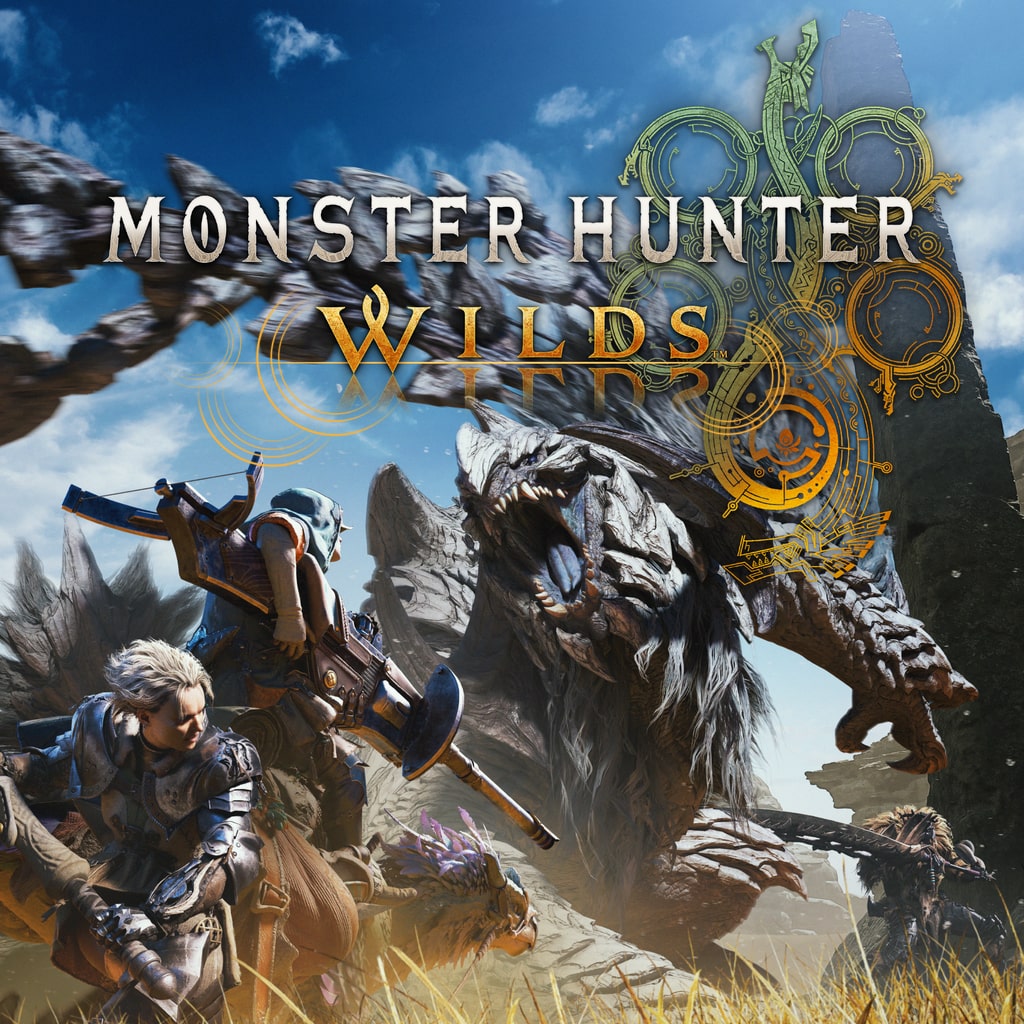
After your payment, you will receive PlayStation Network (PSN) wallet balance codes that cover the PlayStation Store price of Monster Hunter Wilds Cosmetic DLC Pack 4. Add the codes to your PSN wallet, then use the balance to easily buy the game on the PlayStation Store, so you can enjoy it at a great discount.
These codes are for the UNITED STATES PlayStation Store. They only work on a PlayStation Network account set to the UNITED STATES region.
How to get the game:
- Sign in to your UNITED STATES PlayStation Network account on your console, or at store.playstation.com.
- Choose Redeem Codes and enter each code. The balance is added to your PSN wallet straight away.
- Find Monster Hunter Wilds Cosmetic DLC Pack 4 on the PlayStation Store and buy it with your wallet balance. It is the full digital game for Playstation 5.
If the game is on offer on the PlayStation Store, redeem your codes and buy it before the offer ends: the codes are matched to the price at the time of your order. Any balance left over stays in your PSN wallet for your next purchase.
Brand New and Unused:
Every code is brand new and can be redeemed once. The game you buy with it is permanently yours on your PlayStation Network account, and you can download it as many times as you want.
About the Game
Get more out of your hunting life with this fourth pack of communication and cosmetic items!
The following content is included:
●Hunter Layered Armor Set: Cosmoloid
●Seikret Decoration: Machina Caparison
●Layered Weapon Set Vol. 1
●Pendant: Cosmoloid Core
●Photo Pose: Seikret Battle-Ready Pose
●Sticker Set: Everyday Eastlands
*This content can also be obtained separately. Please be careful of duplicate transactions.
*You can apply Layered Armor from the Hunter Appearance option in the Appearance menu in your tent. This item changes the appearance of your hunter. It does not affect stats or abilities. A weapon is not included.
*You can apply Seikret decorations by selecting Seikret Customization from the Appearance Menu in your tent. This item changes the appearance of your Seikret. It does not effect stats or abilities.
*You can apply Hunter Layered Weapon from the Hunter Appearance option in the Appearance menu in your tent. This item changes the appearance of the weapon. It does not affect stats or abilities.
*You can apply pendants from the Appearance Menu in your tent. Select Equipment Appearance to apply to your Hunter, or Seikret Customization to apply to your Seikret.
*You can use photo poses from the Pose Sets option in either the Communication or Photo Mode menus.
*You can use stickers in the Communication menu.
*Use the Edit Shoutouts option in the Stickers Sub-menu to edit the text on a sticker.
*You may need to update to the latest version of the game to use this content.