- Home
- About
-
Products
- All Products
- Steam Keys
- Steam Accounts
- XBOX Game Pass
- Xbox Games
- Nintendo Switch Games
- Meta Quest Keys
- PSN Cards (Playstation)
- Xbox Gift Cards
- Playstation Games
- Playstation Accounts
- EA App Keys
- Epic Games Keys
- Ubisoft Connect Keys
- Fortnite Products
- PUBG Mobile UC
- Software Keys
- Movie Digital Downloads
- Discord Nitro
- Retail Keys
- Price Drops
- Buy & Sell Movie Codes
- GTA VI
- Top-Ups
- RANDOM Keys
- Reviews
- Blog
- Latest Orders
- Wholesale
- FAQ
- Policies
- Affiliate
- Contact
 EN
EN FR
FR HE
HE DE
DE

 NO Hidden Fees!
Paypal Accepted!
India customers: Prices on this page are shown in INR, with instant digital delivery and region-compatible product options highlighted above where available.
Product Description
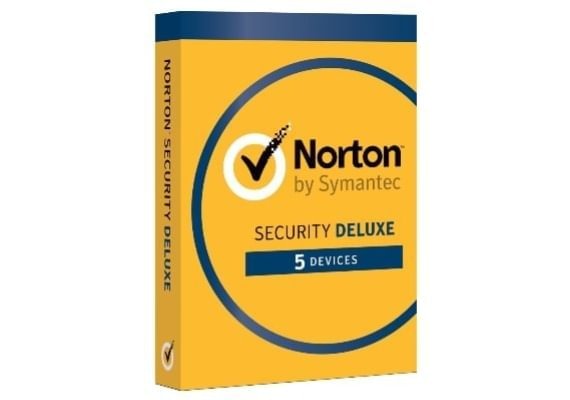
This is a genuine activation code for a 1 Year subscription to Norton Internet Security Software License, delivered instantly via our Autokey system.
Immediately after payment, you will receive your unique activation code on our Autokey page.
Region Information
This is a Global key — it can be activated and used worldwide, in any country.
Instant Digital Delivery
Once your order is complete, your activation code appears immediately in your CJS CD Keys account under the Autokey section. You’ll receive full instructions to activate and download your software — no waiting required.
How to Activate
- Go to the product’s official website to download the client.
- Run the installation and follow the on-screen instructions.
- Enter your activation code when prompted — you can find it on your CJS Autokey page.
Why Buy From CJS CD Keys?
- Instant digital delivery — your activation code arrives in your account within seconds of payment.
- Trusted since 2009 — over 135,000 verified Trustpilot reviews from real customers.
- Best prices worldwide — no hidden fees and no payment surcharges.
- Full money-back guarantee — your purchase is fully protected against any issues.
- 24/7 customer support — real humans ready to help, fast.
About Norton Internet Security Software License
How to activate:
- Go Here
- If you are not signed in to Norton already, you will be prompted to sign in. Type in your email address and password for Norton, and click Sign In.
- If you do not have an account, click Create account, and then complete the sign-up process.
- In the Install on this device window, make sure the product name that is displayed is the one you want to install, click Agree & Download.
- If you want to install a new product, not listed in the window, click Enter a Product Key, and then enter the product key or PIN to begin the download.
- Do one of the following depending on your browser:
- For Internet Explorer: Click Run.
- For Firefox or Safari: On the top-right corner of the browser, click the Download option to view the downloaded files, and double-click the file that you downloaded.
- For Chrome: On the bottom-left corner, double-click the file that you downloaded.
- If the User Account Control window appears, click Continue. Follow the on-screen instructions.
- Your Norton product is now installed and activated.
Norton offers industry-leading antivirus and device security, plus new ways to protect your devices and online privacy. Cyber threats are ever-evolving. Cybercriminals can steal personal information through your computers and mobile devices, and there are a number of ways that they do it.
Features:
- Personal firewall
- Email spam filtering
- Phishing protection